
Applying for your first entry level role after university can feel like an impossible catch 22: “How do I get experience without a job, and how do I get a job without experience?”
Most freshers default to the standard, outdated resume format: a plain black and white page featuring a generic objective statement, a table of university marks, and a vague list of soft skills like “hardworking” or “good communicator.”Recruiters review hundreds of these daily. They blend together into a sea of monochrome text, giving decision makers little reason to pause.
To stand out in today’s competitive job market, you need an innovative, visual, value driven resume strategy: one that shifts the spotlight away from what you lack (corporate work history) and shines it brightly on what you possess (applied skills, real world projects, initiative, and modern tool fluency).
In this step by step guide, we will unpack the Value First Resume Strategy, explore an eye catching design approach, and break down a complete, realistic example you can adapt immediately.
What is the “Value-First” Resume Strategy?
Traditional resume formats are built around a chronological career history. For a seasoned professional with ten years of employment, that works brilliantly. For a fresher, it leaves three quarters of the page blank or stuffed with filler.
The Value First Strategy flips the traditional structure on its head. Instead of asking recruiters to read through years of schooling before finding out what you can actually do, you place your tangible capabilities and portfolio projects right at the top.
┌────────────────────────────────────────────────────────────────────────┐
│  TRADITIONAL RESUME                   INNOVATIVE VALUE FIRST RESUME   │
│                                                                        │
│  1. Contact Info                      1. Modern Header & Positioning  │
│  2. Generic Objective                 2. Featured Projects & Proof     │
│  3. Education & Marks Table           3. Categorized Skill Matrix     │
│  4. Extracurriculars                  4. Education & Certifications   │
│  5. Unverified Soft Skills            5. Proof of Work Links          │
└────────────────────────────────────────────────────────────────────────┘
By framing your personal projects, open source contributions, or capstone assignments as practical experience, you show recruiters your value upfront.
5 Steps to Building an Innovative Fresher Resume
Step 1: Ditch the Objective Statement for a Targeted Header
The standard objective statement: “Seeking a challenging position in a prestigious company where I can apply my skills…” tells an employer what you want from them. Employers want to know what they gain by hiring you.
Replace it with a Target Header and a 3 sentence Value Summary that defines your domain focus and highlights your primary toolkit.
Example:
Target Role: Junior Frontend Developer & UI Designer
Summary: Computer Science graduate specializing in building responsive, accessible web applications using React and Tailwind CSS. Developed 4 full stack web applications, including a real time collaborative note taking tool used by 200+ university peers. Skilled in turning Figma wireframes into clean, production ready code.
Step 2: Showcase “Featured Projects” as Work Experience
As a fresher, your projects ARE your experience. Whether it was a final year capstone, a weekend hackathon submission, or a self guided portfolio piece, present it with the same rigor as a corporate role.
Structure every project using the STAR V Framework:
-
Situation / Task: What real world problem were you solving?
-
Action: What tools, frameworks, or languages did you use?
-
Result / Value: What was the measurable outcome or output?
┌────────────────────────────────────────────────────────────────────────┐
│                      PROJECT PRESENTATION FRAMEWORK                    │
│                                                                        │
│  [Project Name]  ──►  [Your Role]  ──►  [Tech Stack / Tools]           │
│  │                                                                     │
│  ├── Bullet 1: Problem solved + technical approach                     │
│  ├── Bullet 2: Key feature built + measurable outcome                  │
│  └── Bullet 3: Live Link / GitHub Repository                           │
└────────────────────────────────────────────────────────────────────────┘
Step 3: Organize a Categorized Skill Matrix
Instead of listing 15 unorganized keywords in a single long line, divide your skills into distinct functional blocks. This allows recruiters scanning your resume in 6 seconds to immediately locate your technical stack, design tools, and domain competencies.
-
Primary Tech Stack: Python, SQL, JavaScript, React.js
-
Developer Tools: Git/GitHub, VS Code, Postman, Docker (Basic)
-
Design & Workflow: Figma, Canva, Agile/Scrum Methodologies
-
Core Strengths: Technical Writing, REST API Integration, Responsive Design
Step 4: Reframe Education & Highlight Practical Credentials
Keep your education section concise and positioned toward the lower half of your single page layout. Focus less on high school grades and more on relevant coursework, academic honors, and industry recognized certifications.
-
Include: Specific coursework directly applicable to the target job (e.g., Database Management Systems, Human Computer Interaction).
-
Include: Professional certificates from platforms like Google, AWS, Coursera, or Meta.
-
Exclude: High school percentage/grades unless specifically required by a local campus recruitment drive.
Step 5: Embed “Proof of Work” Links
In modern hiring, seeing is believing. Adding clickable digital assets converts your resume from a flat sheet of text into an interactive portal to your capabilities.
┌────────────────────────────────────────────────────────────────────────┐
│                        DIGITAL PROOF OF WORK MAP                       │
│                                                                        │
│  ┌──────────────────┐  ┌──────────────────┐  ┌──────────────────┐  │
│  │ GitHub / Code    │  │ Figma / Design   │  │ Live Web Demos   │  │
│  │ Repositories     │  │ System File      │  │ / Vercel Deploy  │  │
│  └────────┬─────────┘  └────────┬─────────┘  └────────┬─────────┘  │
│           │                     │                     │            │
│           └─────────────────────┼─────────────────────┘            │
│                                 ▼                                  │
│                 Direct Recruiter Verification                      │
└────────────────────────────────────────────────────────────────────────┘
Creative Visual Formatting Strategy (Beyond Plain Black & White)
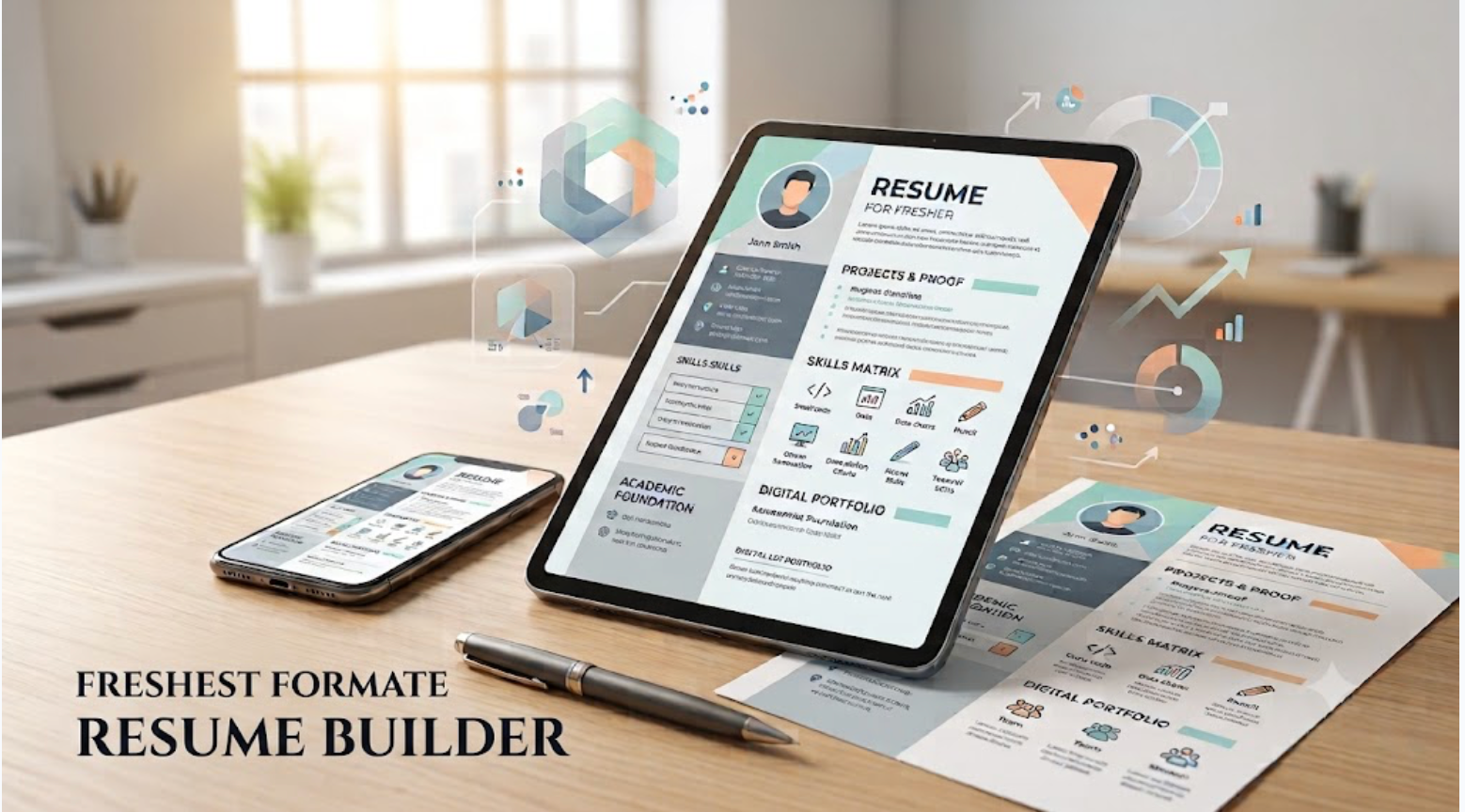
A creative resume does not mean adding illustrations or background graphics that confuse Applicant Tracking Systems (ATS). Instead, it means using visual hierarchy, modern color accents, and structured visual cards.
Key Elements of the Creative Layout:
-
Accent Color Palette: Use a primary slate gray text with a bold accent color (like Deep Indigo, Forest Teal, or Crimson) for section headers, divider lines, and target titles.
-
Side Card Layout (Two Column Split): Use a 30/70 split layout. The left narrow column houses contact links, core skills, tools, and certifications. The right wide column houses your summary, featured projects, and educational background.
-
Pill Badges for Skills: Present tools and technologies using rounded border tags (e.g.,
[ React ][ Node.js ][ SQL ]) to break up dense paragraphs. -
Clean Typography: Use modern, highly readable sans serif fonts such as Inter, Roboto, or Plus Jakarta Sans.
Complete Fill in the Blank Fresher Resume Example
Here is a ready to use template formatted using this creative, modern layout philosophy.
================================================================================
| ALEX RIVERA                                                                  |
| Junior Software Engineer & Frontend Developer                                |
| City, Country | +1 (555) 019 2834 | alex.rivera@email.com                    |
| Portfolio: alexrivera.dev | GitHub: github.com/arivera | LinkedIn: in/arivera    |
================================================================================

PROFILE SUMMARY
Creative Computer Science graduate with hands on experience building web apps
using React, JavaScript (ES6+), and modern CSS frameworks. Developed 3 full stack
projects featuring interactive dashboards and RESTful API integrations. Passionate
about writing clean code, optimizing web performance, and delivering intuitive
user experiences.

FEATURED PROJECTS & PRACTICAL EXPERIENCE
TaskFlow: Collaborative Project Management App | Personal Project
Tools: React.js, Node.js, Express, MongoDB, Tailwind CSS
Link: taskflow demo.vercel.app | Code: github.com/arivera/taskflow
• Built a full stack task management board supporting real time status updates
  and user drag and drop interactions using React Beautiful DnD.
• Integrated JWT based user authentication and encrypted password storage,
  securing user data across session state changes.
• Designed a responsive UI using Tailwind CSS, achieving a 98/100 performance
  score on Google Lighthouse.

WeatherVista: Interactive Climate & Forecast Dashboard | Academic Capstone
Tools: JavaScript, OpenWeather API, Chart.js, HTML5/CSS3
Link: weather vista.netlify.app | Code: github.com/arivera/weathervista
• Developed an interactive weather tracking application fetching real time
  data for over 10,000 cities worldwide using RESTful APIs.
• Implemented interactive weather trend charts using Chart.js, allowing users
  to visualize 7 day temperature shifts and humidity metrics.
• Handled asynchronous API calls gracefully with custom loader states and
  error handling popups.

SKILLS & TOOLKIT MATRIX
• Programming Languages : JavaScript (ES6+), Python, HTML5, CSS3, SQL
• Frameworks & Libraries: React.js, Tailwind CSS, Bootstrap, Express.js
• Tools & Platforms     : Git, GitHub, VS Code, Postman, Vercel, Figma
• Core Competencies     : RESTful APIs, Responsive Web Design, Agile Methods

EDUCATION & DEGREES
Bachelor of Science in Computer Science | State University
Graduated: May 2026 | GPA: 3.8 / 4.0
• Relevant Coursework: Data Structures & Algorithms, Web Development, DBMS
• Leadership: Tech Lead: University Web Development Club (2025: 2026)

CERTIFICATIONS & CREDENTIALS
• Meta Frontend Developer Professional Certificate: Coursera (2025)
• JavaScript Algorithms and Data Structures: freeCodeCamp (2025)
================================================================================
3 Essential Rules to Remember Before Sending
-
Keep It Strictly to One Page: As a fresher, every line must earn its space. Cut fluff, repetitive descriptions, and unnecessary high school details.
-
Tailor Keywords for Every Role: Match the terms in your skill matrix directly to the keywords listed in the employer’s job description to pass Applicant Tracking System (ATS) filters.
-
Export as a High Quality PDF: Always submit your resume as a clean PDF to ensure your custom formatting, fonts, and layout remain perfectly intact across all devices and operating systems.
Need Personalized Help Building Your Winning Resume?
Building a high impact, ATS friendly resume from scratch can feel daunting when you are starting out. If you want expert guidance to showcase your projects, format your skills, and craft a job ready resume tailored to your dream role:
📩 Drop me an email at: gaurav.kumar@apagen.com
Send over your current draft or project details, and let’s build a standout resume that lands you interview calls!